Everyone's out, but you still know who's at the gate.
Away mode, your own zones and hours, and an alert when a camera is covered. No need to upload video to the cloud.
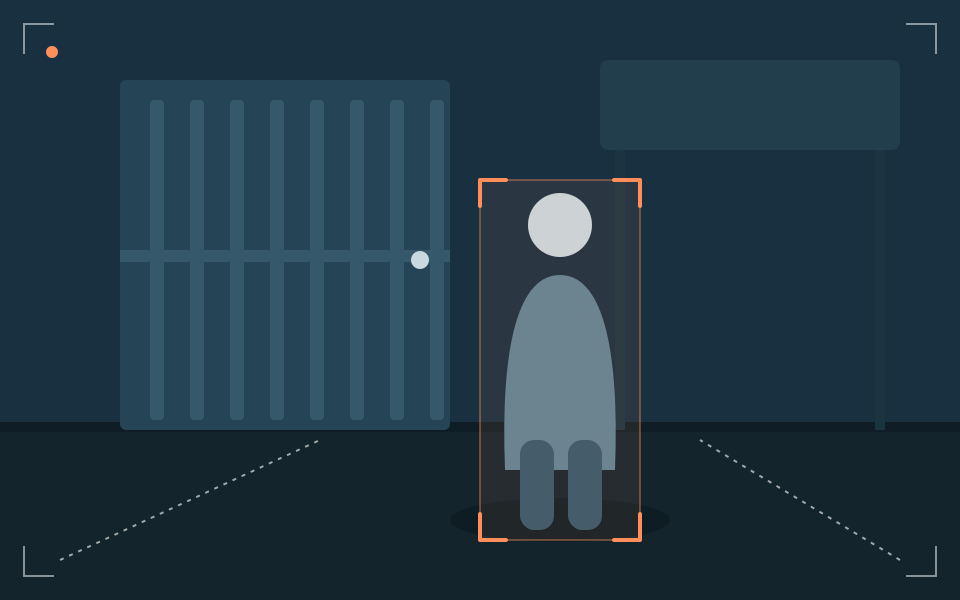 Stranger at the gate
Illustrative simulation
What may be on your mind
Someone lingers at the gate while you're out.
A motorbike in the yard gets wheeled away while you're not home.
Ordinary cameras just say "motion", and you have to open each one to check.
How HushSight helps
- Coming soon
Household face recognition
Tells familiar people from strangers.
Face data is stored only on the device inside your home. Enrolled only with that person's consent. Delete it any time.
Stranger detection & away mode
Alerts you when someone unfamiliar appears; away mode turns on by itself when everyone has left.
- Coming soon
Zone and schedule intrusion alerts
Set zones (yard, gate, balcony) and hours (for example after 11 PM).
- Coming soon
Loitering detection
Alerts you when someone lingers at the gate.
- Coming soon
Siren, flashing light and voice warning
An immediate response at home: siren, light and spoken warning.
- Coming soon
Covered or moved camera alert
Tells you when a camera's view is blocked or turned.
- Coming soon
Vehicle watch
Alerts you if a motorbike or car is moved while you're away.
Smoke and flame detection
Looks for visual signs of smoke and flame and alerts you right away.
An illustrative scenario
A lunchtime when everyone's out
10:50 AM
Everyone leaves, away mode switches on.
11:05 AM
Someone who isn't on the list stands at the gate. The box sends a short notification with the location.
11:06 AM
You check the notification and, if you wish, sound the siren remotely.
This is a constructed scenario, not a user testimonial.
Stranger at the gate
- Where · when
- Front gate · 11:05 AM
- Confidence
- Medium
- Rule
- Away mode on and person not on the household list Coming soon
- Sent to
- You and Relative 1 (Telegram)
- Status
- Sent
Camera covered or moved
- Where · when
- Living room · 2:10 AM
- Confidence
- Needs checking
- Rule
- View blocked or changed suddenly
- Sent to
- You (app)
- Status
- Needs review
Illustrative simulation
Where to place cameras
- Gate, yard, back balcony: one zone and one schedule each.
- Set a strong, separate RTSP/ONVIF password on each camera.
- Let housemates and guests know cameras are in use.
Privacy while you are away
Video and images stay in your home; only event notifications are sent.
Face data is stored only on the device inside your home. Enrolled only with that person's consent. Delete it any time. Coming soon
See exactly how it works →HushSight is an aid and does not replace a professionally installed alarm system.
Frequently asked questions
Will my camera work with HushSight?
Cameras that support RTSP or ONVIF usually work, for example many Hikvision, Dahua, Tapo (plug-in), Imou and Ezviz lines, some of which need manual setup in the maker's app. Battery-powered cameras usually don't. See the list on the Product page; it's based on the makers' information, not test results.
How does face recognition work, and where is the data kept?
This feature is in development ("Coming soon"). Face data is stored only on the device inside your home. A person is enrolled only with their consent (for children, a parent or guardian). You can delete it any time, and switch the feature off entirely.
Are housekeepers and guests recorded?
Anyone in a camera's view can be detected as "a person". Please tell household members, helpers and guests that cameras are in use. That's also the spirit of personal-data law.
Which features does your home need?
Answer six short questions, about a minute. Your answers stay in your browser.
No purchase required. Not on sale yet.