The HushSight box: a brain for every camera at home.
A router-sized box inside your home. It takes images from the cameras you already have, understands what's happening, and sends out only event notifications.
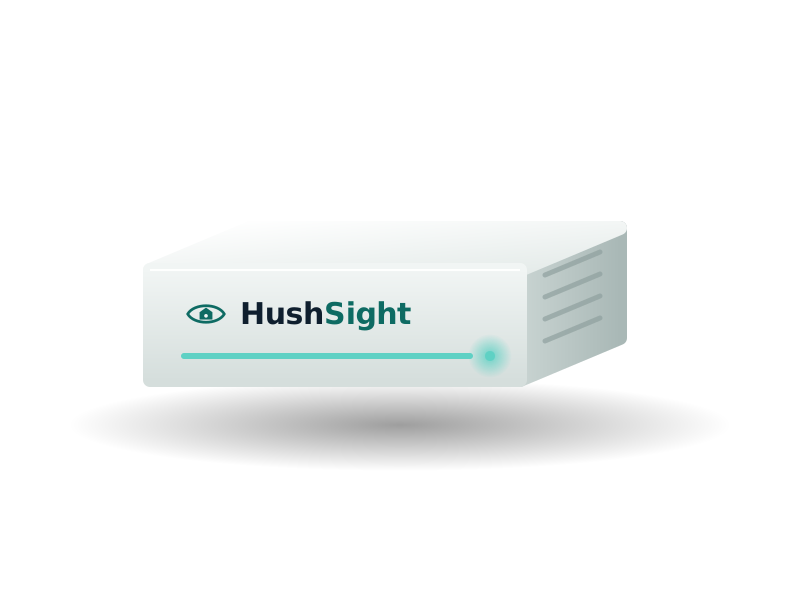
Illustration. The final design may change.
Takes images from your cameras
over your home network (RTSP/ONVIF).
Understands and decides on the spot
detects, then checks your rules.
Alerts briefly
sends only an event notification to your phone.
Set up in three steps
Step 1: Plug in power
Put the box near your router and plug it in.
Step 2: Plug in network
Connect the box to your router with an Ethernet cable. It looks for cameras on your network.
Step 3: Scan the QR in the app
Scan the QR code to pair your phone, then choose the risks you want watched.
No need to replace cameras or re-run cables.
Expected specifications
These are design targets for early access, not commitments. Final specifications will be published when the product is finished.
- Form
- router-sized box, passive cooling (expected)
- AI processing
- an AI accelerator on the box itself
- Cameras
- expected around four 1080p streams at once
- Storage
- encrypted internal drive; capacity not final
- Connectivity
- Ethernet and Wi-Fi
- Zigbee for smoke/gas sensors
- optional
- Built-in siren
- expected
- Power
- mains; backup-battery option under consideration
- Offline
- designed to keep detecting
- Over-the-air model updates
- expected
Compatible cameras
HushSight connects to cameras that support RTSP or ONVIF. The list below is based on the makers' information. We'll update it after hands-on testing of each line.
Compatible
Usually works; ONVIF may need switching on.
Manual setup
Works once RTSP/ONVIF is switched on in the maker's app.
Not supported
The camera doesn't officially offer RTSP/ONVIF.
Not yet verified
We haven't confirmed this yet. Don't buy a new camera because of this line.
| Brand / line | Level | Note |
|---|---|---|
| Hikvision, Dahua (home IP lines) | Compatible | ONVIF may need switching on, with an ONVIF user created in the web interface. |
| Tapo (plug-in lines, e.g. C200, C210, C225) | Manual setup | Create a "Camera Account" in the Tapo app and use it, not your Tapo account password. |
| Imou (many indoor and outdoor lines) | Manual setup | Switch on ONVIF/RTSP in the camera settings of the Imou Life app; the menu name varies by line. |
| Ezviz (many lines) | Manual setup | Switch on "LAN Live View" in the Ezviz app; some lines need ONVIF enabled in the web interface; depends on model and firmware. |
| Battery-powered Tapo (e.g. C410, C420, D230) | Not supported | Battery-powered cameras don't support RTSP/ONVIF. |
| Kami, Yi | Not supported | No official RTSP/ONVIF. |
| Yoosee, Xiaomi, FPT Camera, Viettel Camera | Not yet verified | Not yet verified; some lines may work, others won't. |
Before you connect
- Switch on RTSP/ONVIF in the maker's app. Each brand differs; we'll provide step-by-step guides for Tapo, Imou and Ezviz.
- Set a separate, strong RTSP/ONVIF password. Default passwords are a common reason clips leak.
- Cameras share a limited number of streams with other apps, so sometimes the sub-stream is used for analysis.
No cameras at home yet?
We expect to offer a HushSight kit with cameras so you can start from scratch. Details haven't been announced.
This list is based on the makers' information, not on test results with the HushSight box. Brand names belong to their owners; HushSight is not affiliated with these brands.
In the box (expected)
- HushSight boxExpected
- Power adapterExpected
- Ethernet cableExpected
- Quick-start guide with QR codeExpected
Frequently asked questions
What is HushSight?
HushSight is an AI box that sits in your home. It connects to your existing cameras and detects falls, smoke and fire, strangers and other risks on the device. Video and images stay in your home; only event notifications are sent. HushSight is built by HushSight and is currently in early access.
Can one box cover my whole home?
One box connects to several cameras on your home network, so coverage depends on how many cameras you have and where they're placed. The maximum number of cameras isn't final; we'll work out placement with early-access users.
Will my camera work with HushSight?
Cameras that support RTSP or ONVIF usually work, for example many Hikvision, Dahua, Tapo (plug-in), Imou and Ezviz lines, some of which need manual setup in the maker's app. Battery-powered cameras usually don't. See the list on the Product page; it's based on the makers' information, not test results.
How do I set it up?
Expected in three steps: plug in power, plug in network, scan the QR code in the app. Some cameras need RTSP/ONVIF switched on first. Details may change during early access and we'll guide you personally.
What if I don't have cameras?
We expect to offer a HushSight kit with cameras. It's in the "Coming soon" group and details haven't been announced.
Which features does your home need?
Answer six short questions, about a minute. Your answers stay in your browser.
No purchase required. Not on sale yet.